

NADRA PakID app
NADRA PakID app: The National Database and Registration Authority has introduced clear instructions to help citizens upload missing documents through the PakID app. This digital facility allows applicants to correct errors during identity document processing without visiting NADRA offices. Once an application is submitted through the PakID app, NADRA begins verification, and any missing document or errors is communicated through an in-app notification.
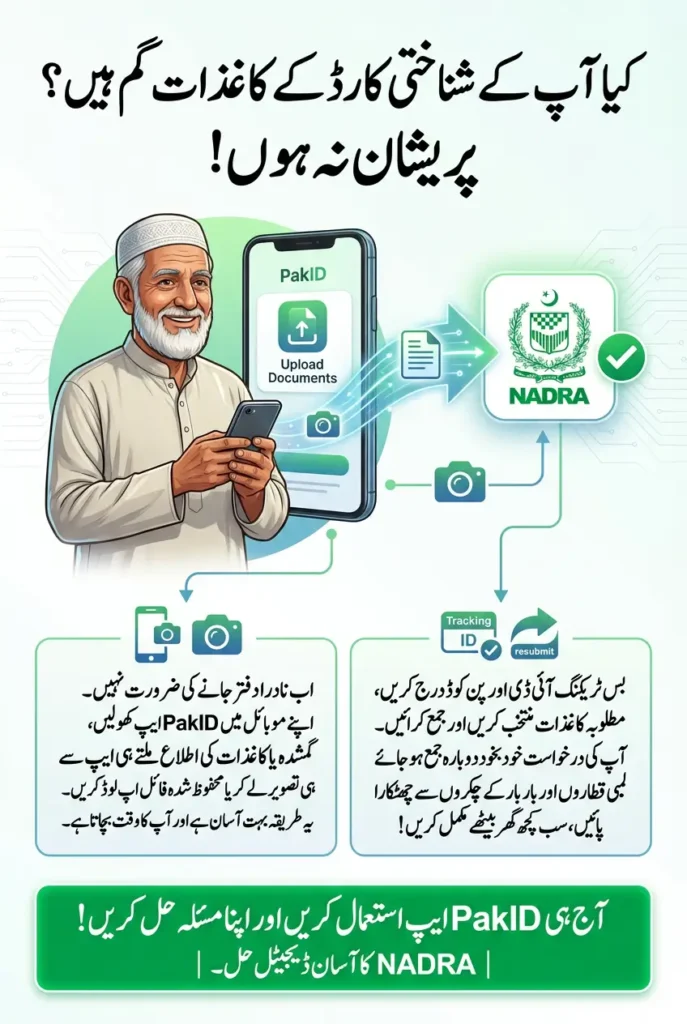
This system is designed to save time and reduce inconvenience for citizens. Instead of starting a new application or standing in long queues, users can simply upload the required documents from their mobile phones and resubmit their application within minutes.
- NADRA processes applications submitted via the PakID app
- Errors or missing documents trigger in-app notifications
- Citizens can fix issues without visiting NADRA offices
SNGPL bill download How to print duplicate sui gas bill
PakID App Notification System and Application Verification
When NADRA detects an issue in an application, a notification appears directly in the PakID app. This notification clearly informs the applicant about missing documents or errors that need correction. The purpose of this feature is to ensure transparency and help applicants understand exactly what action is required.
The notification system also improves processing speed, as applications are only paused until the required documents are uploaded. Once the user responds, the application continues automatically, reducing unnecessary delays.
- Notifications appear inside the PakID app
- Applicants are informed about specific missing documents
- Verification resumes after corrections are completed
SNGPL Complaint Online Sui Northern Gas Bill Complaint
Step-by-Step Process to Upload Documents Through the PakID App
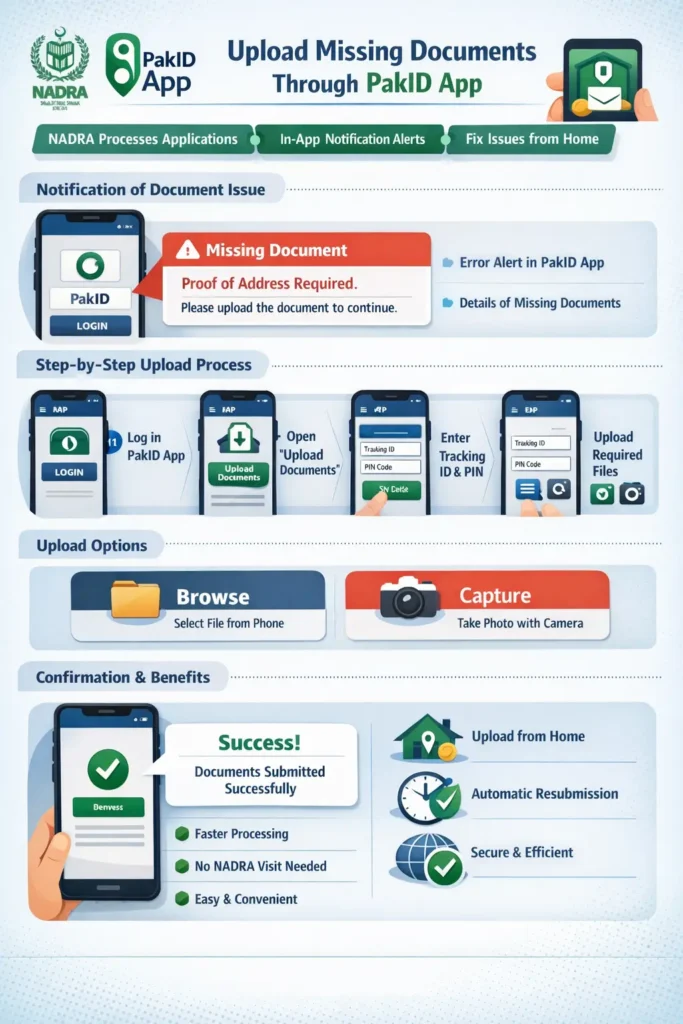
To upload documents, users must first log in to the PakID app using their credentials. From the home screen, they need to open NADRA Miscellaneous Services and tap on the Upload Documents option. This section is dedicated to correcting application deficiencies identified by NADRA.
After selecting the upload option, applicants must enter their Tracking ID and PIN code, then click on Get Details. The system displays a list of required documents that need to be uploaded for the application to proceed.
- Log in to the PakID app
- Open NADRA Miscellaneous Services
- Enter Tracking ID and PIN to view document list
SNGPL Bill Calculation Formula: How to Calculate Gas Bill in Pakistan
How to Select and Upload Documents Correctly
Once the list of required documents appears, users can select each document one by one. The PakID app provides two options: Browse, which allows users to upload a file from their mobile storage, and Capture, which lets them take a fresh photo directly from the app. This flexibility ensures that users can submit documents easily.
It is important to upload clear and complete documents to avoid further delays. Blurry images, cropped information, or incorrect files may result in additional notifications and slow down the process.
- Browse option for files saved on the phone
- Capture option to take real-time photos
- Clear and complete images improve approval speed
What Happens After Uploading Required Documents
After all required documents are uploaded successfully, a confirmation message appears on the screen. This message indicates that the documents have been submitted and that the application has been automatically resubmitted to NADRA for further processing.
Applicants do not need to take any additional steps after this stage. NADRA continues verification, and users are informed of progress through the PakID app, making the entire process smooth and user-friendly.
| Stage | Status |
|---|---|
| Document Upload | Completed via the PakID app |
| Confirmation | Success message displayed |
| Application Status | Automatically resubmitted |
SNGPL Bill Online Check Lahore 2025 Sui Northern Gas Bill
Benefits of Uploading Documents Through the PakID App
The PakID app’s document upload feature is a major step toward digital convenience. It allows citizens to verify their identity and submit documents from home, reducing travel costs and saving valuable time. This service is especially helpful for people living far from NADRA offices.
By enabling online correction of errors, NADRA ensures faster processing and improved service quality. The digital system also minimizes paperwork and promotes transparency in identity verification.
- Upload documents from home
- No need to revisit NADRA offices
- Faster and more transparent processing
| Feature | Benefit |
|---|---|
| Digital Upload | Saves time and effort |
| In-App Notifications | Clear guidance on errors |
| Automatic Resubmission | Faster application processing |
Good News for Entrepreneurs as asaan karobar Finance Scheme